Diagnostic imaging centres
Fast turnaround without enterprise overhead.
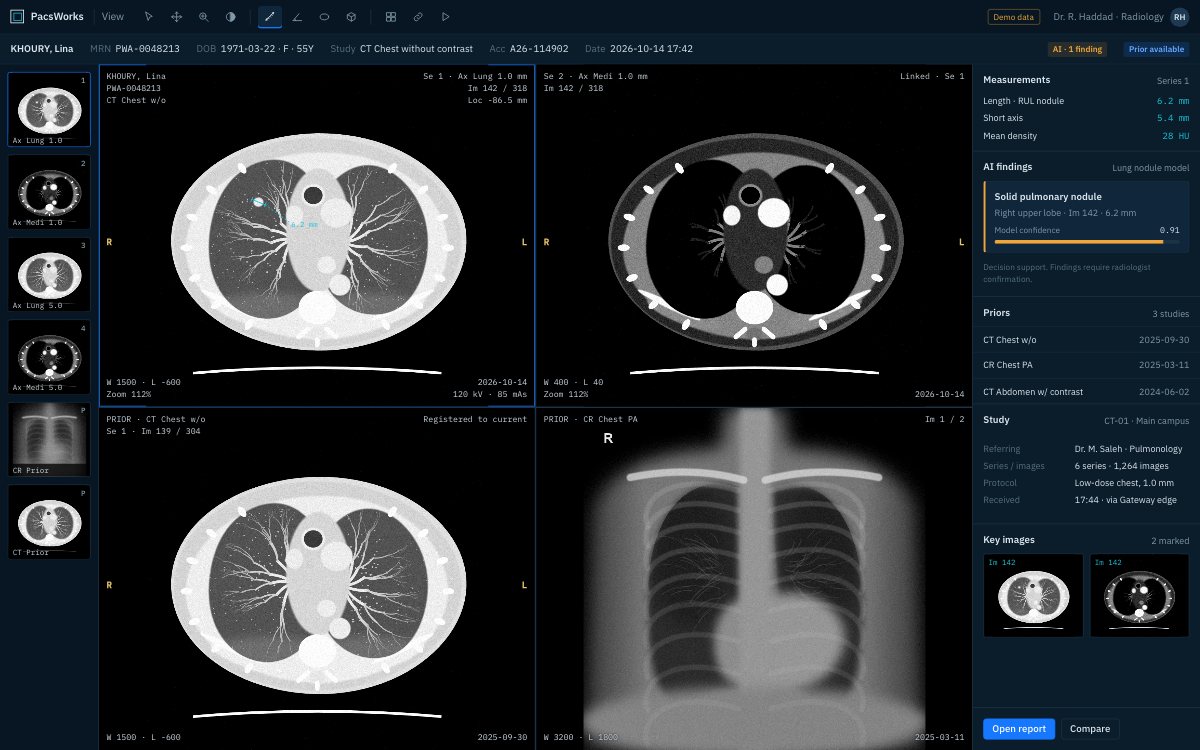
Diagnostic reading in the same viewer on site, from home or from another centre. Screens show demo data and synthetic images.
The challenge
Imaging centres live on throughput: scanners must send cleanly, radiologists must read quickly and referrers expect results the same day.
An imaging centre is judged on turnaround. Patients are booked back to back, referrers want results the same day, and radiologists may read for several centres at once, some of them from home.
Every step that needs a person to push a study, chase a prior or email a report slows the day down. So does a PACS that needs its own server room and a full-time administrator the centre does not have.
PacsWorks gives an imaging centre enterprise-grade routing and reading without the enterprise overhead. Scanners send through a gateway, one worklist serves every reader wherever they sit, and referrers receive images and reports in a browser. It runs on a server in the centre or as a hosted service.
How it fits together.
The gateway sits next to the scanners; the PACS can sit in the centre or in PacsWorks Cloud. Readers and referrers reach the same studies from wherever they are.
From booking to the referrer’s inbox.
- RIS
Booked
The order goes to the modality worklist, so the technologist picks the patient instead of retyping details.
- Gateway
Scanned and sent
The study is checked and routed as soon as the scan ends, with failed transfers retried automatically.
- Worklist
Assigned
It appears in the shared worklist, filtered by modality, subspecialty and priority.
- Radiologist
Read
Any reader, on site or remote, opens it with priors from the archive already loaded.
- Referrer
Delivered
The referring doctor receives a link to the images and the signed report.
What changes.
Straightforward scanner onboarding
New modalities connect through the gateway using standard DICOM configuration.
One worklist for every reader
On-site and remote radiologists share one prioritised worklist.
Cloud or on premises
Run PACS on your own servers or as a hosted service, whichever suits your IT team.
Results to referrers
Referring doctors receive a link to images and the final report in their browser.
Long-term archive
Older studies move automatically to lower-cost storage and stay retrievable.
Reading from anywhere
Radiologists read securely from home or from another centre.
Scanners connect once and keep sending.
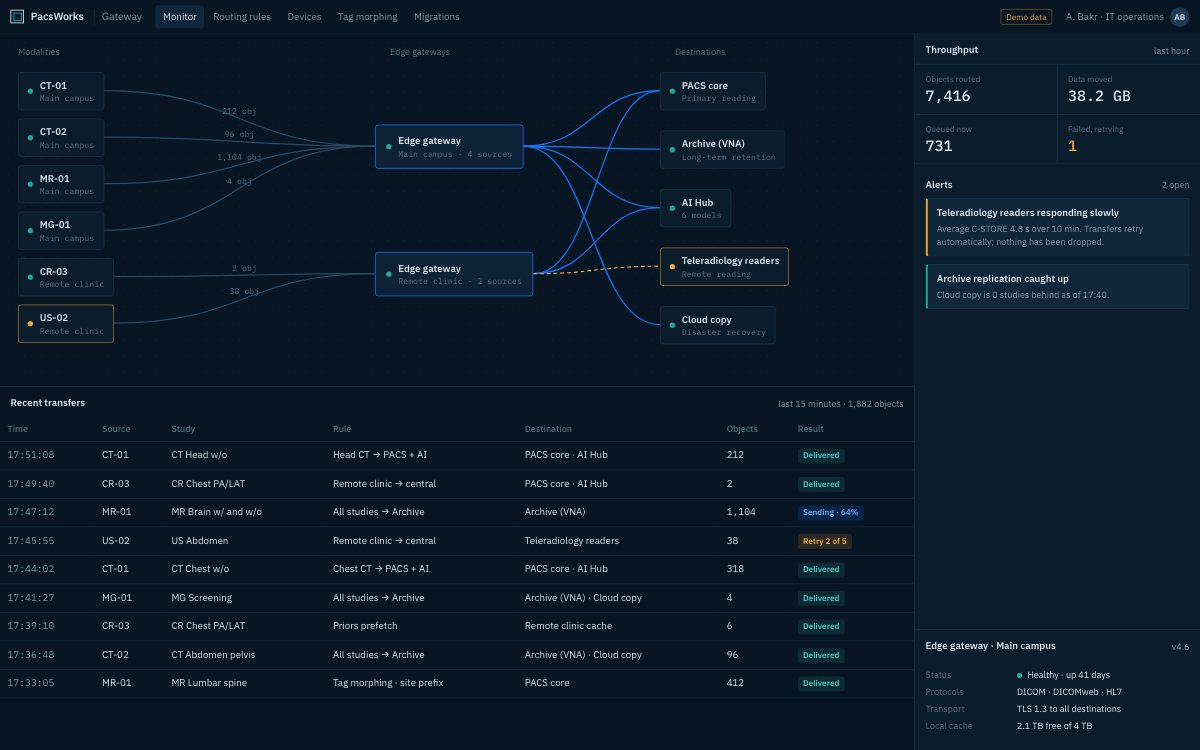
A new scanner is configured against the gateway with standard DICOM settings, and the gateway decides where each study goes. When a destination is slow or offline, studies wait in a visible queue and are retried; nothing is silently lost.
- Rule-based routing by modality, body part or referrer
- Automatic retries with every failure visible
- Tag clean-up for scanners from different vendors
Results where referrers already are.
Referring doctors open images and the final report from a link, in the browser of their laptop, tablet or phone. No disc, no portal account to forget, no software to install.
- Images and report together
- Works on desktop, tablet and phone
- Access expires and is logged
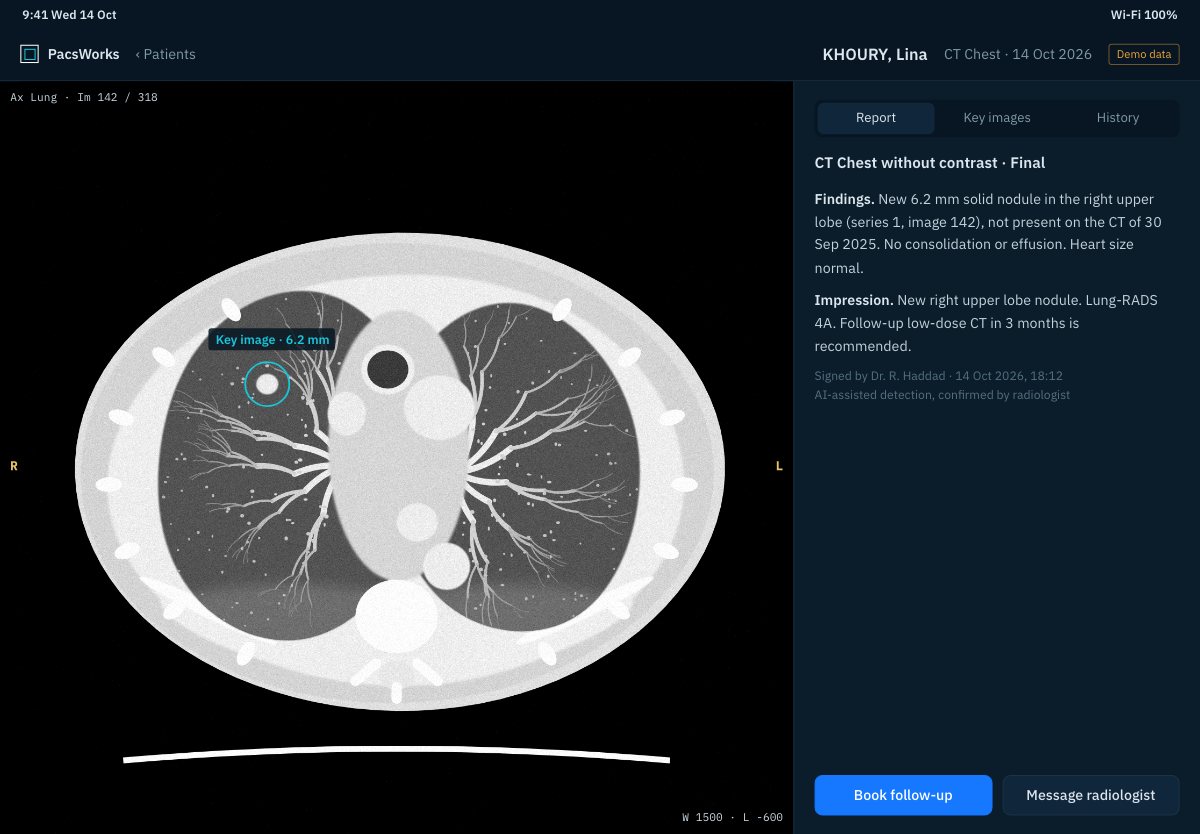
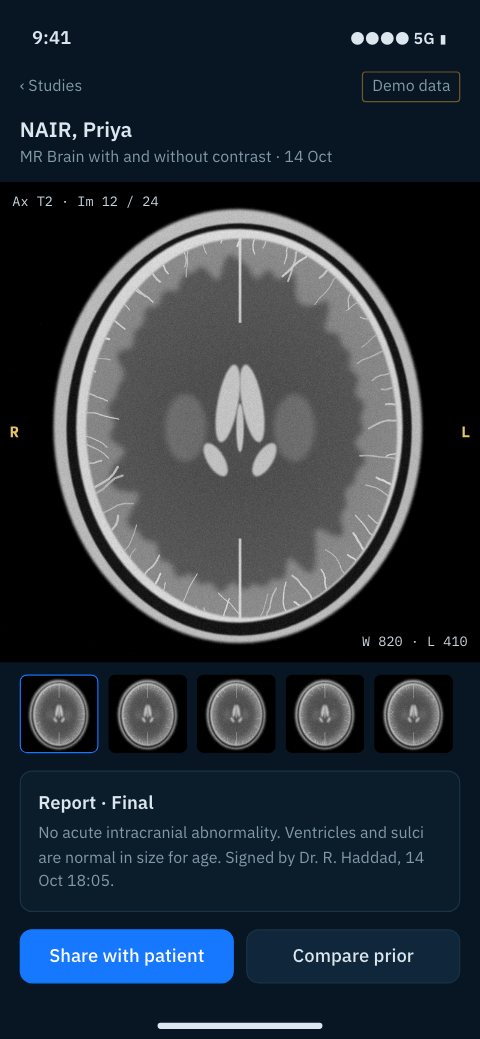
Screens show demo data and synthetic images.
What each team gets.
Radiologists
One worklist across every room and every centre they read for, from wherever they read.
Referring doctors
Images and reports in the browser, the same day, without a disc.
Technologists
Patient details from the worklist, and studies that send without manual pushing.
Centre management
Predictable running costs, storage that grows with volume and no server room to staff.
How a rollout is phased.
No single cut-over. Each phase runs alongside what is already in service.
Connect scanners
The gateway goes in and each scanner is pointed at it, one room at a time.
Bring the history
Existing studies are migrated so priors are available from the first day.
Go live on reading
Radiologists move to the PacsWorks worklist and viewer.
Open referrer access
Referring practices start receiving links to images and reports.
Questions we hear.
Do we need our own server?
No. PacsWorks can run fully hosted in PacsWorks Cloud, with only the gateway on site. Centres that prefer local servers can run the same software on premises.
Can radiologists read from home?
Yes. Remote readers use the browser viewer or a diagnostic workstation over an encrypted connection, with the same worklist and priors as on site.
How do referrers receive results?
By a link to the images and the signed report, which opens in any modern browser. Access is controlled and every view is logged.
What happens to older studies?
Retention rules move them automatically to lower-cost storage tiers. They stay retrievable as priors, so nothing has to be fetched by hand.
Can we add a second centre later?
Yes. A second centre gets its own gateway and joins the same worklist and archive.
Tell us about your imaging environment.
What you run today, where the bottlenecks are and how you expect to grow. We will come back with an architecture, not a product pitch.