PacsWorks AI Hub
AI inside the reading workflow, not beside it.
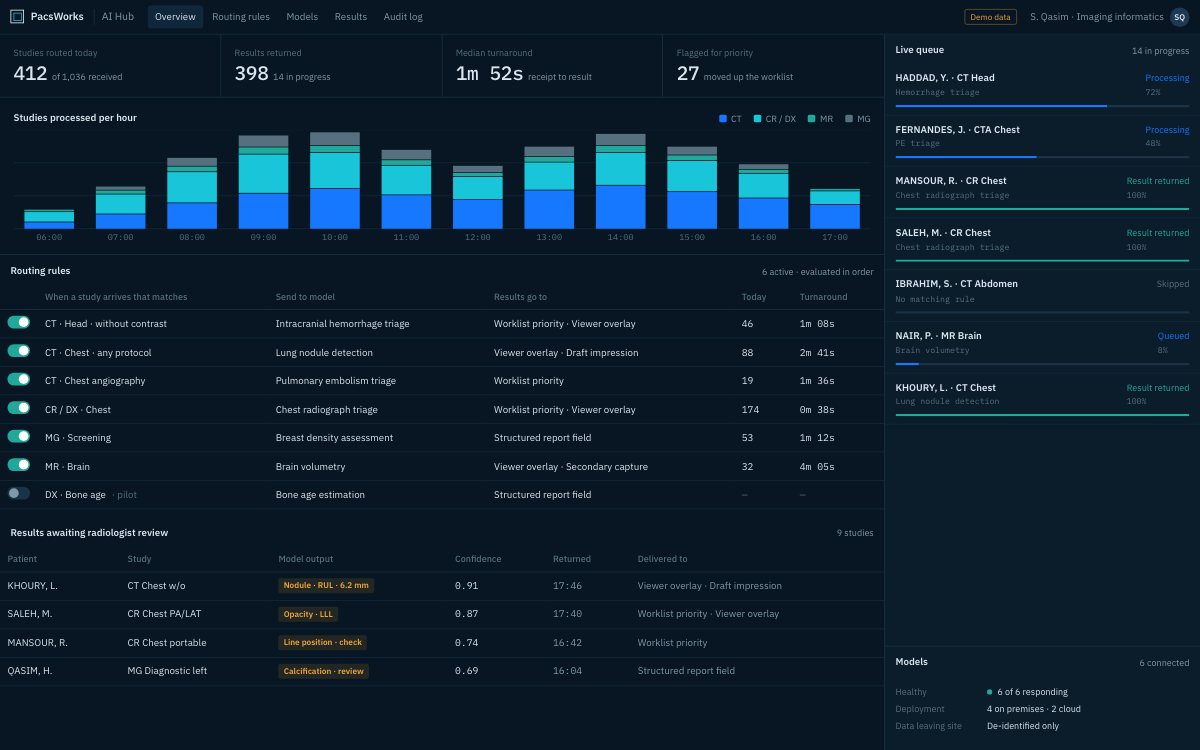
Screens show demo data and synthetic images.
What it does
PacsWorks AI Hub connects imaging AI applications to the PACS. It sends each study to the models that apply, then returns the results to the worklist and the viewer, where a radiologist decides what to keep.
Studies reach the right model
Routing rules send each study to the AI models that apply to its modality, body part and protocol.
Results inside the workflow
Outputs return as image overlays, worklist priority or structured report fields.
Several vendors, one layer
Connect AI applications from different vendors and run them behind one operational layer.
Radiologist in control
Every finding is accepted, edited or rejected by a radiologist before it reaches the report.
Audit trail
Each routing decision, result and radiologist response is logged.
Start small
Begin with one model on one study type, then extend once it has proved itself in your workflow.
The review screen.
Findings, the evidence behind them and a draft impression on one screen. The radiologist decides what goes into the report.
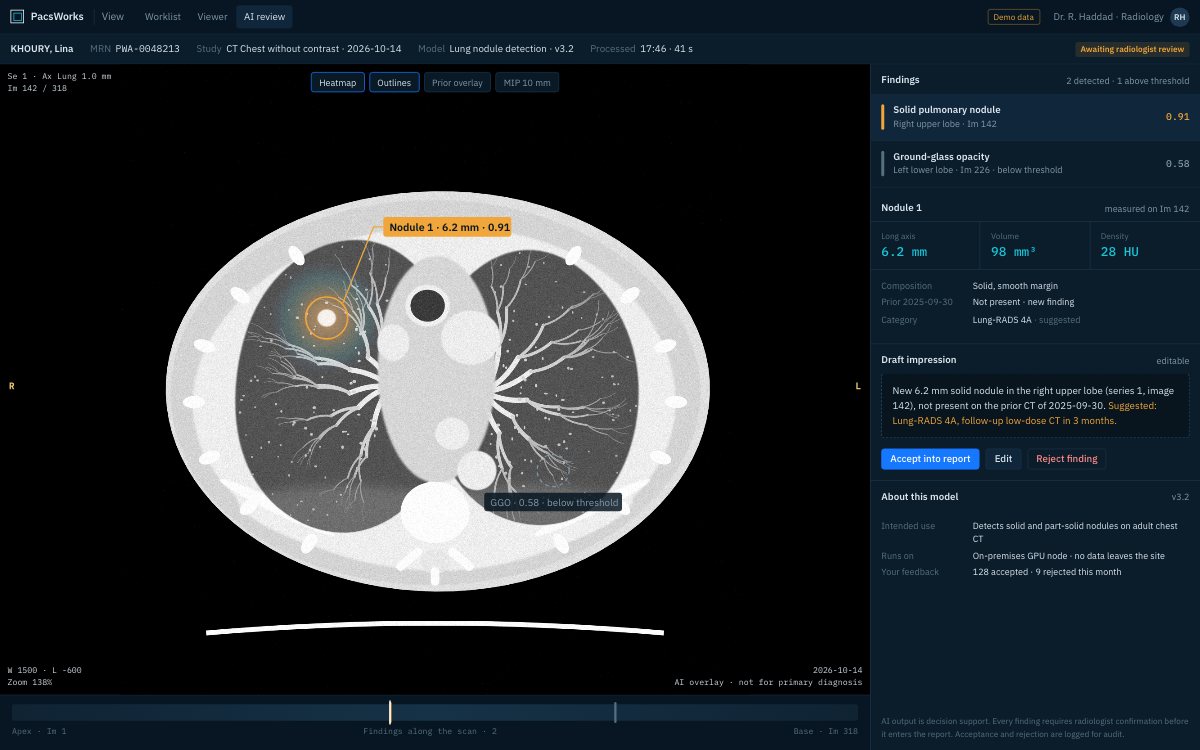
Screens show demo data and synthetic images.
Technical profile
| Role | AI orchestration and integration layer |
|---|---|
| Inputs | Imaging studies and workflow metadata |
| Outputs | Overlays, findings, worklist priority and report fields |
| Deployment | On premises, cloud or hybrid, per model |
Tell us about your imaging environment.
What you run today, where the bottlenecks are and how you expect to grow. We will come back with an architecture, not a product pitch.