Built around how your organisation delivers care.
A hospital group, an imaging centre, a reading network and a regional health authority need different things from the same platform.
One platform, four shapes.
The software is the same everywhere: a PACS, a diagnostic viewer, a vendor-neutral archive, a DICOM gateway, AI orchestration and the option to run any of it in PacsWorks Cloud. What differs between organisations is which of those parts matter first, where they run and who uses them.
A hospital usually starts by consolidating archives and worklists across departments. An imaging centre starts with turnaround and referrer access. A teleradiology service starts with reliable transfer from client sites. A health network starts with exchange and governance across organisations.
Each page below describes the problem as those organisations describe it to us, how PacsWorks fits around their existing systems, what a typical study’s journey looks like and how a rollout is phased.
Hospitals and health systems
One imaging record across departments, campuses and clinical teams. Hospitals run imaging across radiology, cardiology, emergency and outpatient services, often on several systems at once. PacsWorks brings them onto one platform without a single disruptive cut-over.
Read moreDiagnostic imaging centres
Fast turnaround without enterprise overhead. Imaging centres live on throughput: scanners must send cleanly, radiologists must read quickly and referrers expect results the same day.
Read moreTeleradiology
Send each study to the right reader, wherever they are. Teleradiology depends on moving studies quickly and reliably between sites that were never designed to work together.
Read moreGovernment and health networks
Imaging infrastructure for regional scale and long-term governance. Regional health networks and public hospital groups need imaging that can be shared across organisations, governed centrally and maintained for decades.
Read moreWhich products each organisation starts with.
A starting point, not a bundle. Products work together or on their own.
| Product | Hospitals | Imaging centres | Teleradiology | Health networks |
|---|---|---|---|---|
| PacsWorks PACS | Core | Core | Optional | Optional |
| PacsWorks View | Core | Optional | Core | Optional |
| PacsWorks Archive | Core | Optional | Core | Core |
| PacsWorks Cloud | Optional | Core | Optional | Core |
| PacsWorks Gateway | Optional | Core | Core | Core |
| PacsWorks AI Hub | Optional | Optional | Optional | Optional |
Core: the products most organisations of that type start with. Every product can be added later without replacing the others.
One worklist, whatever the shape of the organisation.
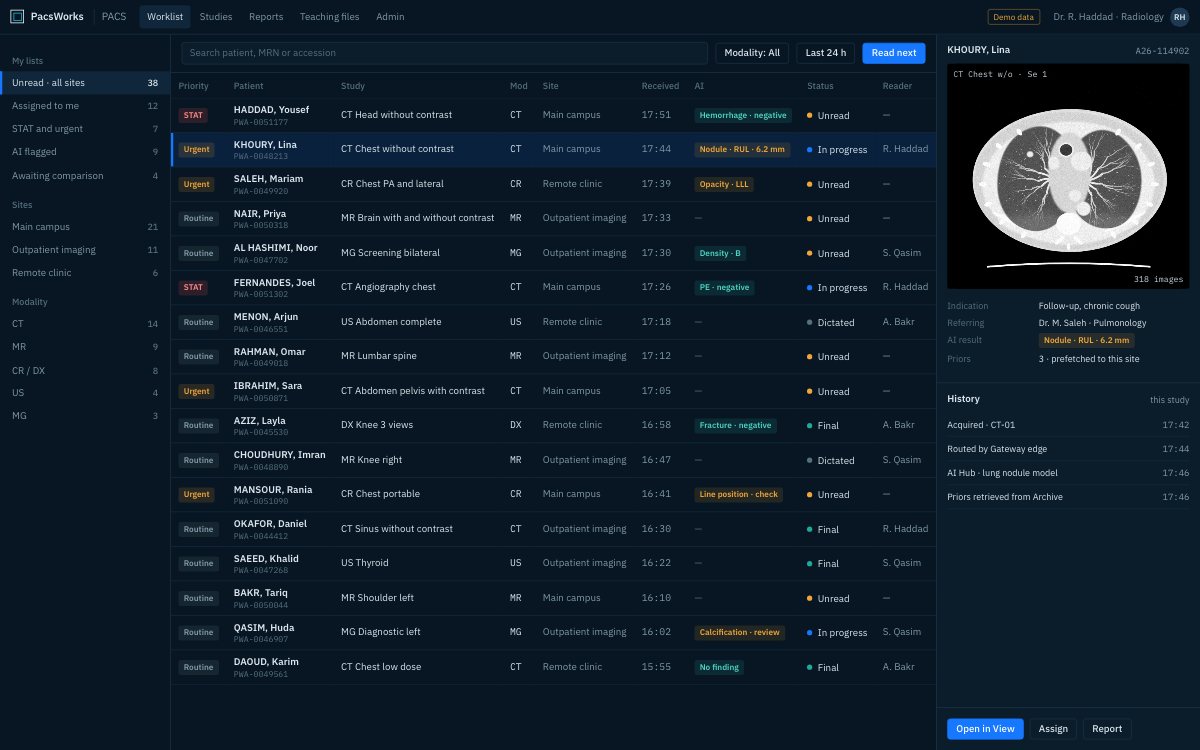
Hospitals, imaging centres, reading networks and health authorities all end up in the same place: studies from every site in one prioritised list, priors ready when the case opens, and AI results beside the study rather than in another application.
- Studies from every site and scanner
- Priority, modality, site and AI flags
- Role-based access for every user
Images reach the people who need them.
Clinicians and referring doctors open images and reports in a browser on desktop, tablet or phone, from the EMR or from a link. Nothing to install, and every view is logged.
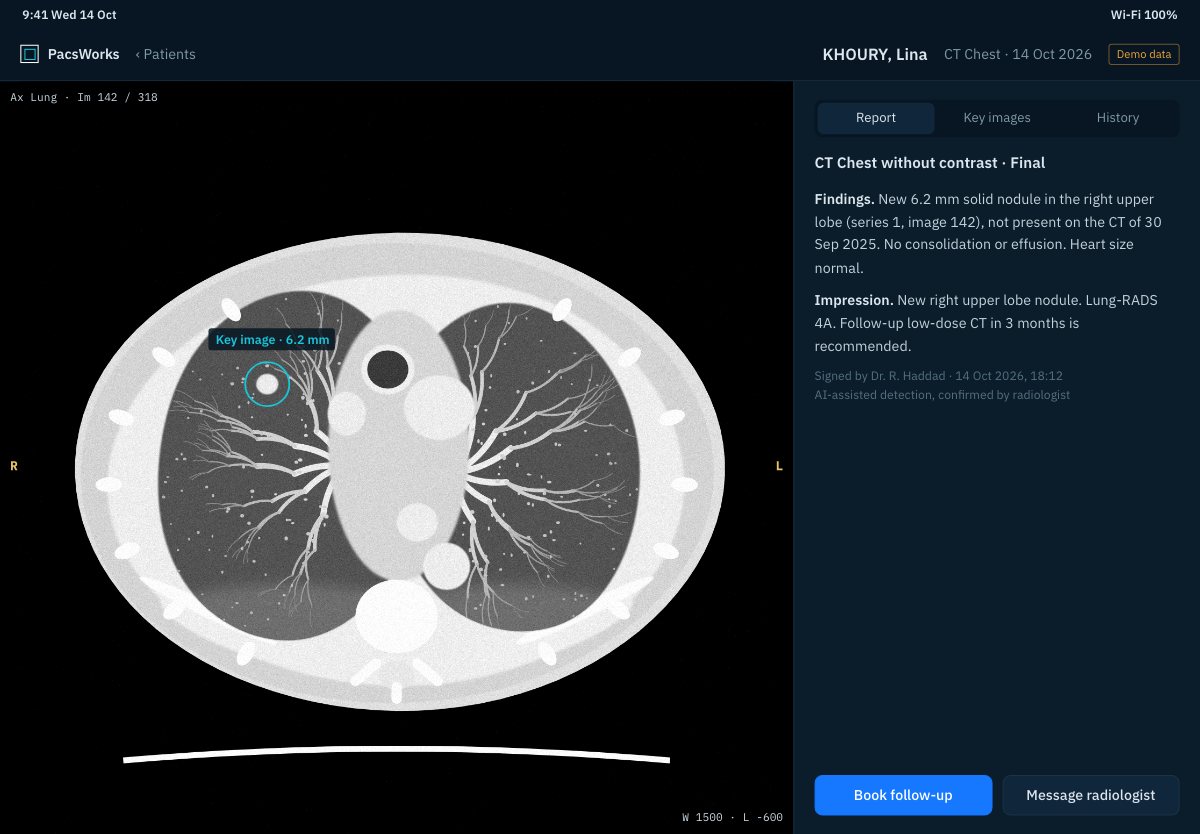
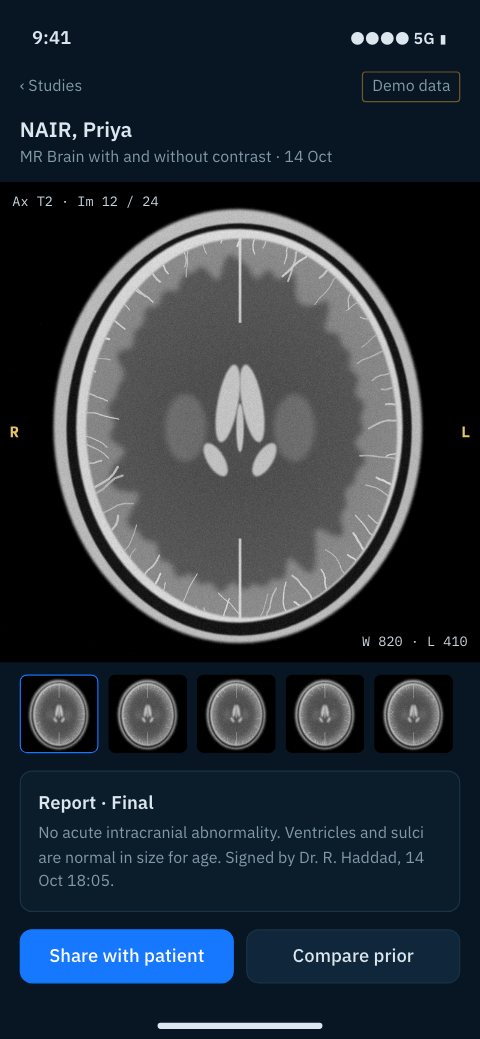
Screens show demo data and synthetic images.
Tell us about your imaging environment.
What you run today, where the bottlenecks are and how you expect to grow. We will come back with an architecture, not a product pitch.